
Stop Juggling 5 Apps to Manage Your
Tasks & Deadlines
Most people lose hours every week jumping between sticky notes, to-do apps, and half-finished planners. This tracker gives you Dashboards, Monthly & Weekly Calendars, Task Logs, and a Decision Matrix in one download. Excel and Google Sheets, both included.
- 11 tabs across 4 sections, in one file
- Excel and Google Sheets, both included
- Auto-fill tabs and automated dashboards
- Recurring tasks, set once, never re-typed
Instant download • Works with Excel & Google Sheets • One-time payment
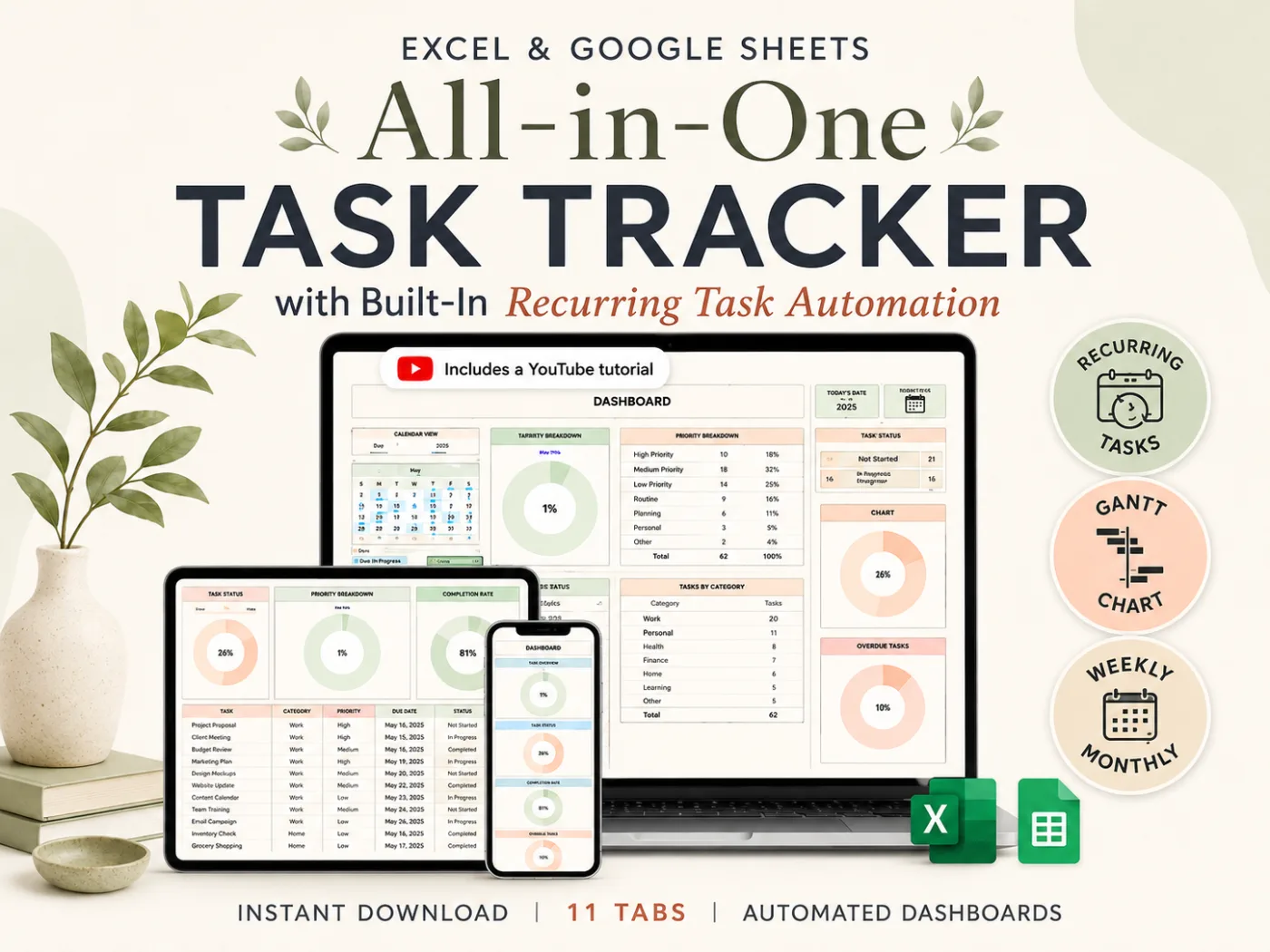
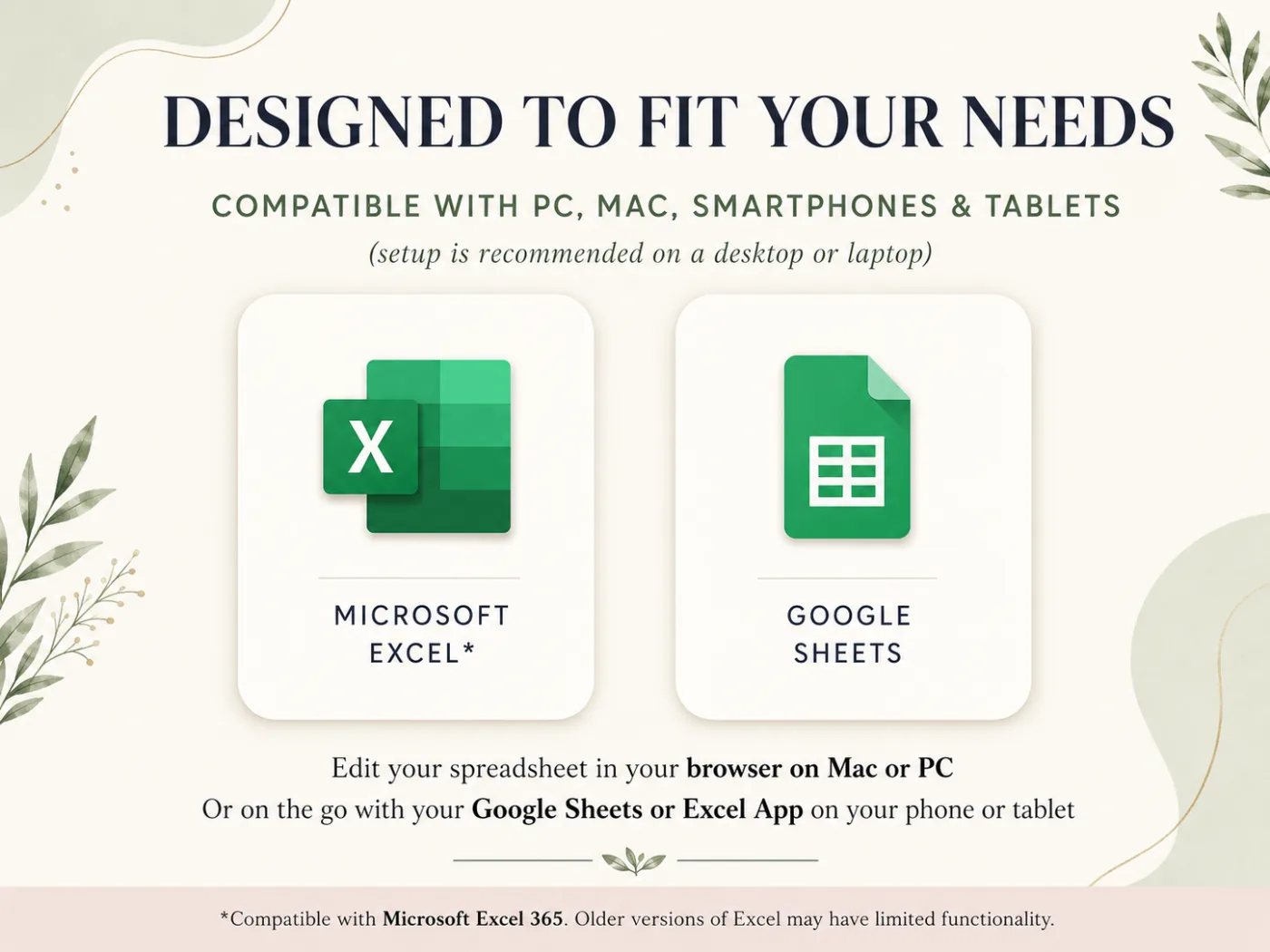
Works wherever you manage your tasks
11 Tabs. 4 Sections. One Download.
Everything you need to organize your tasks: designed, automated, and ready to use today.
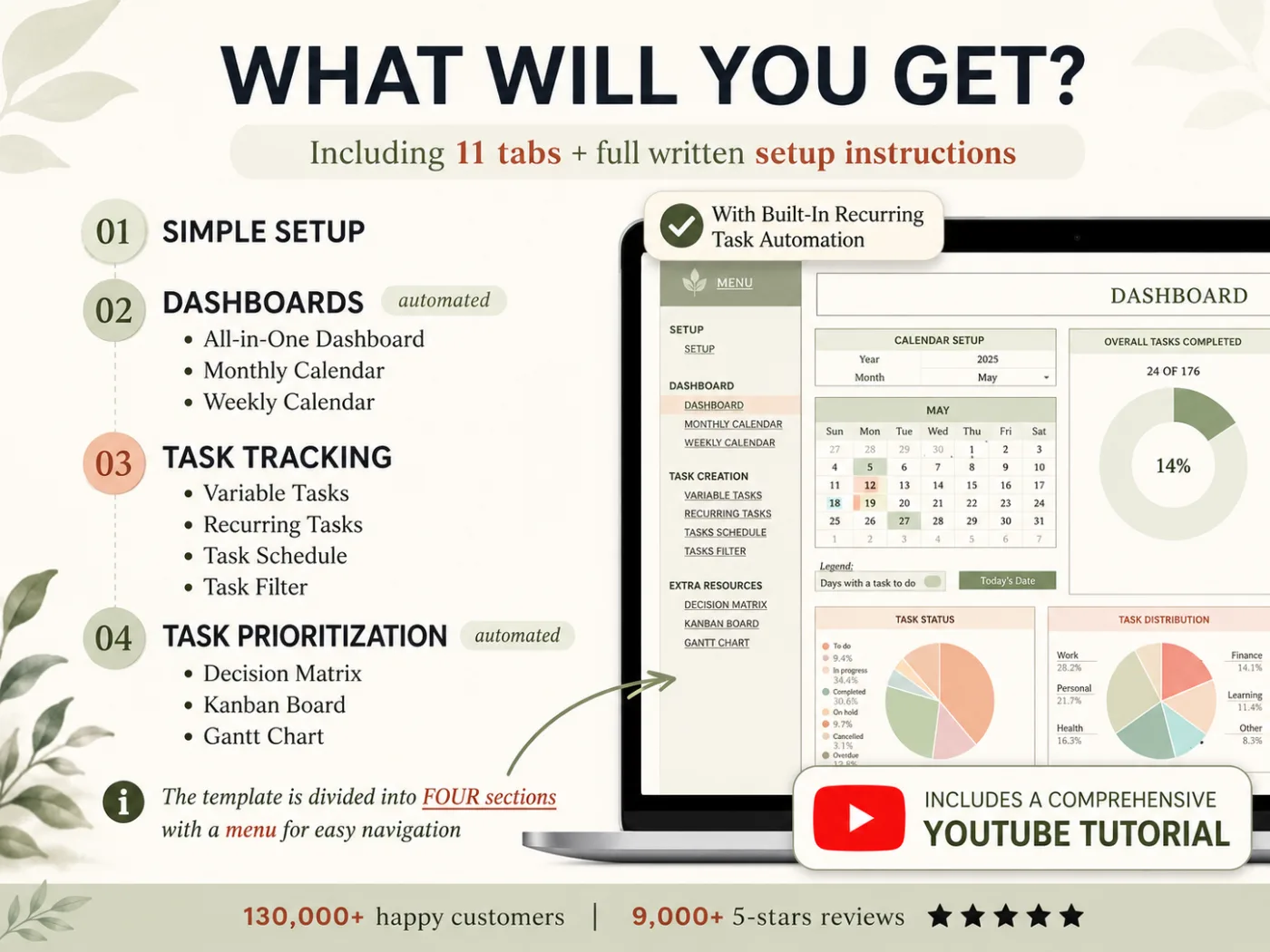
What a Real Task Dashboard Looks Like
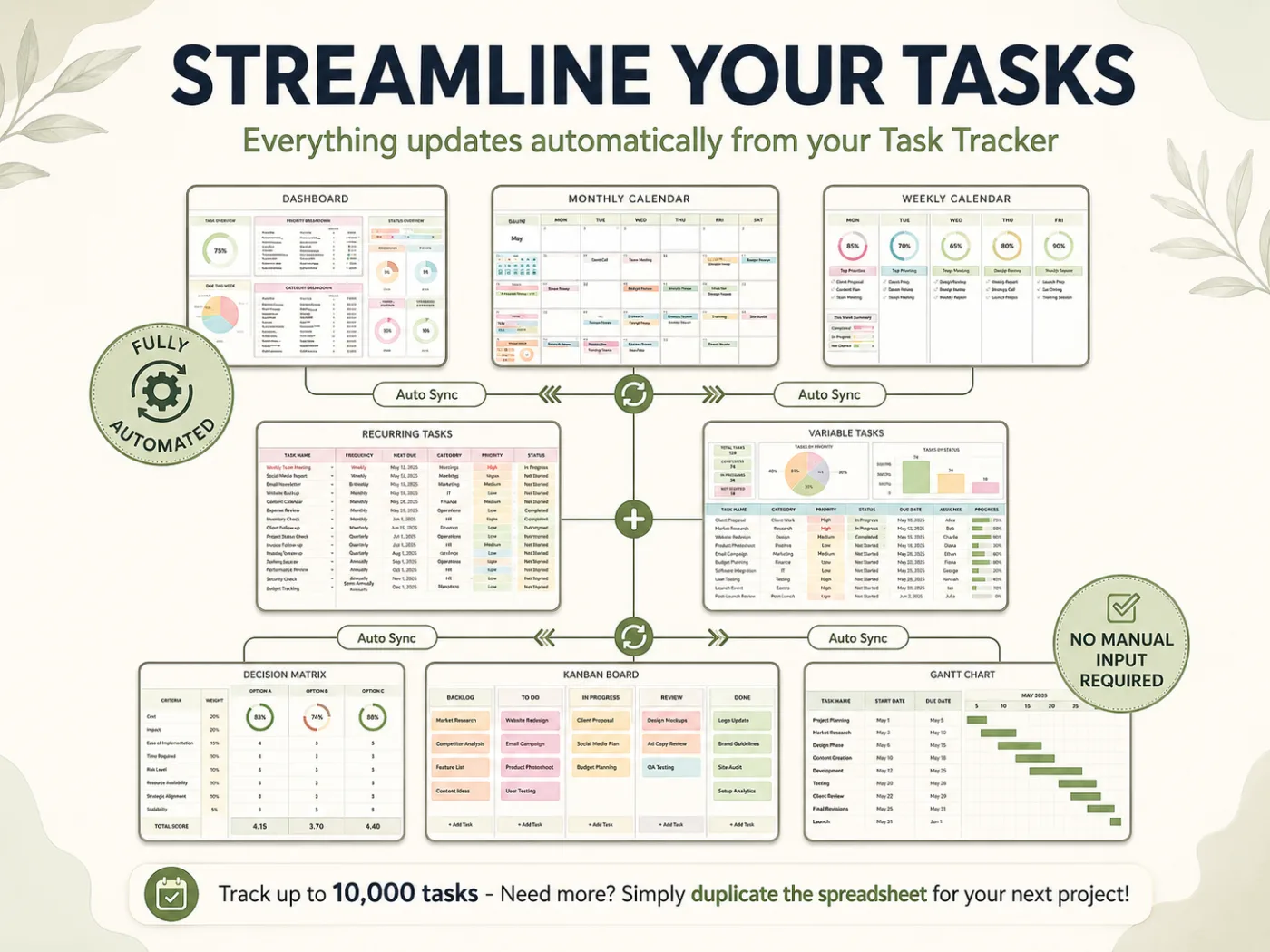
Auto-fill tabs, automated dashboards, and beginner-friendly setup. Tasks, calendars, prioritization, and automation, all in one connected file.
Auto-Fill Tabs and Automated Dashboards
Type your tasks in once. Your dashboard, calendars, and progress rings update themselves. No formulas to write.
Excel and Google Sheets, Both Included
One purchase, two formats. Edit in your browser on Mac or PC, or on the go from your phone or tablet.
No Spreadsheet Skills Required
Designed for anyone, not spreadsheet experts. Step-by-step YouTube tutorial with timestamps walks you through every tab.
Recurring Tasks, Set Once
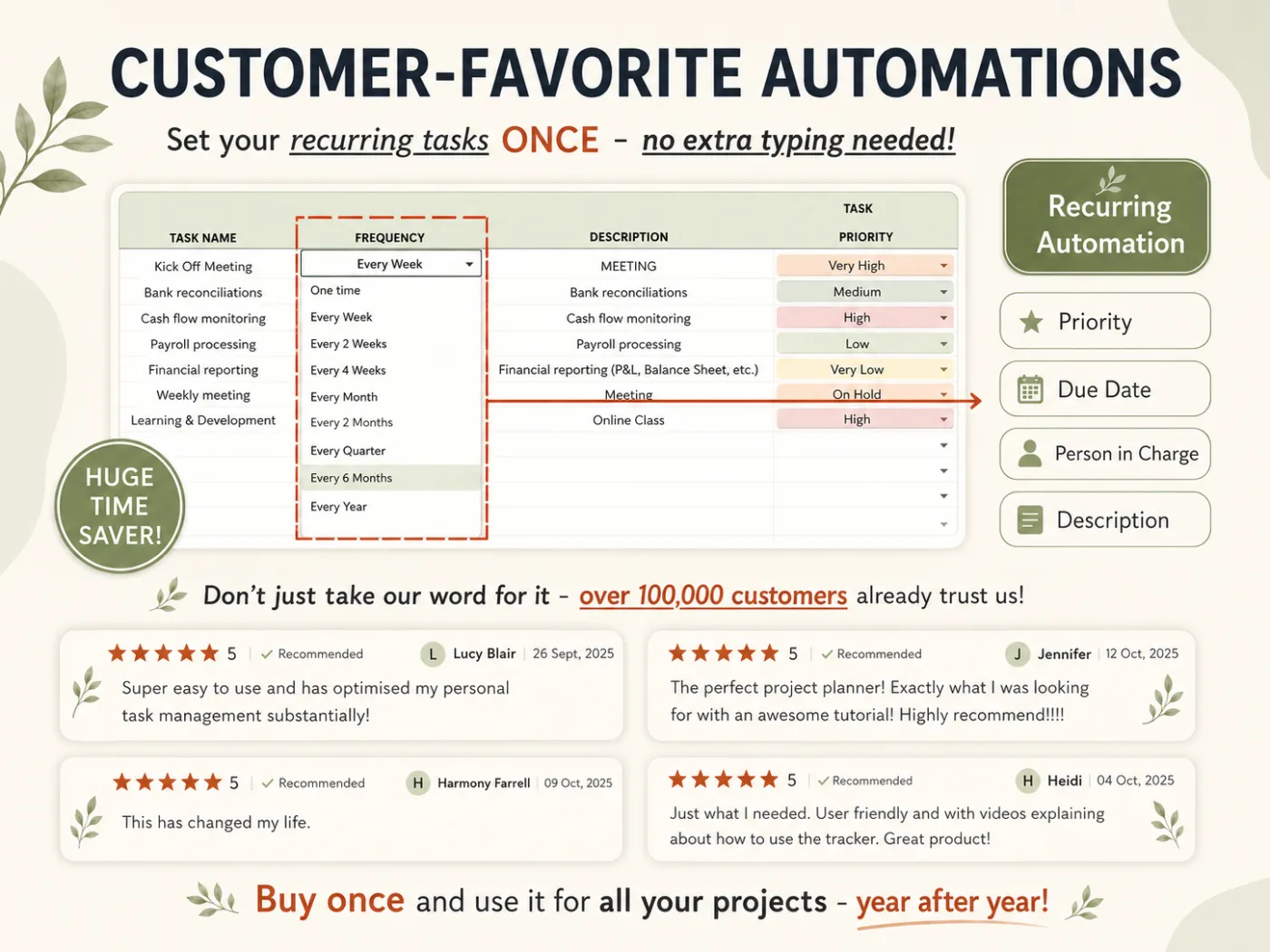
Log a repeating task once, pick a frequency, and the tracker repeats it for you: weekly, monthly, quarterly, yearly and beyond.
Everything in One File
Dashboard, Monthly & Weekly Calendars, Task Logs, Decision Matrix, Kanban Board, Gantt Chart. Stop juggling five apps.
Prioritize Smarter, Not Harder
Built-in Decision Matrix sorts tasks by urgency and importance so you always know what to do, decide, delegate, or delete.
11 Tabs. Everything Listed.
Dashboards (3 Tabs)
All-in-One Dashboard, Monthly Calendar, and Weekly Calendar. Automated charts and progress rings that update themselves as you tick off tasks.
Task Tracking (4 Tabs)
Variable Tasks, Recurring Tasks, Task Schedule, and Task Filter. Log one-time and repeating tasks, then filter by date, priority, or person.
Task Prioritization (3 Tabs)
Decision Matrix, Kanban Board, and Gantt Chart. Prioritize by urgency and importance, then visualize every project from backlog to done.
Also Included
- Setup Tab for Easy Onboarding
- Built-In Recurring Task Automation
- Excel + Google Sheets Formats
- PDF with Google Sheets Link
- Editable Excel Spreadsheet
- Step-by-Step Instructions PDF
- In-Depth YouTube Tutorial
- Track Up to 10,000 Tasks
Everything in the All-in-One Task Tracker
Every tab works in Excel and Google Sheets. Type your tasks in once, watch the dashboards build themselves.
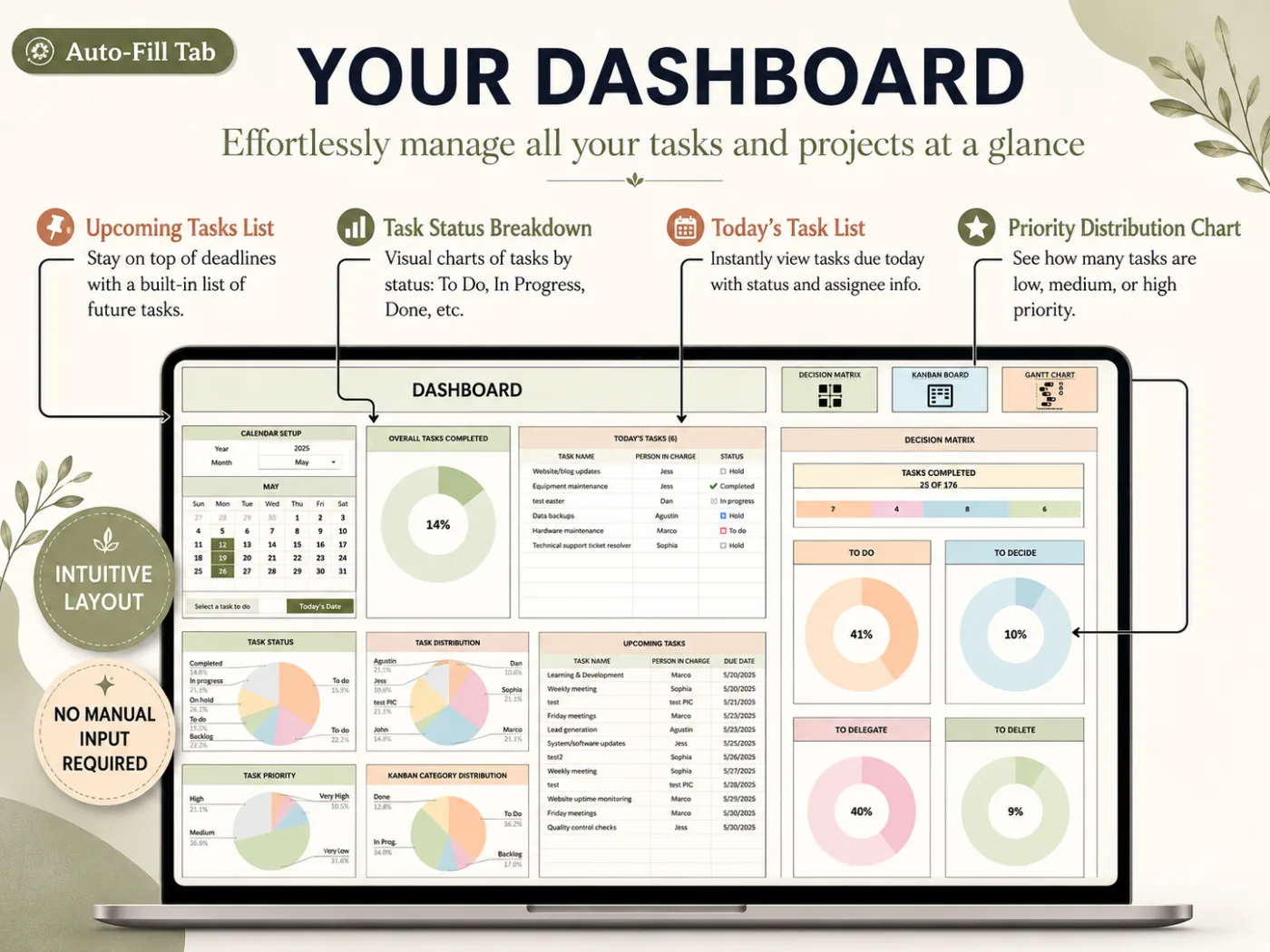
All-in-One Dashboard
The command center of your workflow. Type your tasks in once and watch the dashboard fill itself: completion rings, today's tasks, upcoming deadlines, and priority breakdowns, all at a glance.
- Upcoming Tasks List
- Task Status Breakdown
- Today's Task List
- Priority Distribution Chart
- Overall Completion Rate
- Category & Kanban Breakdown
- Quick Links to Every Tab
- Auto-Fill Tab Powered
- Excel and Google Sheets
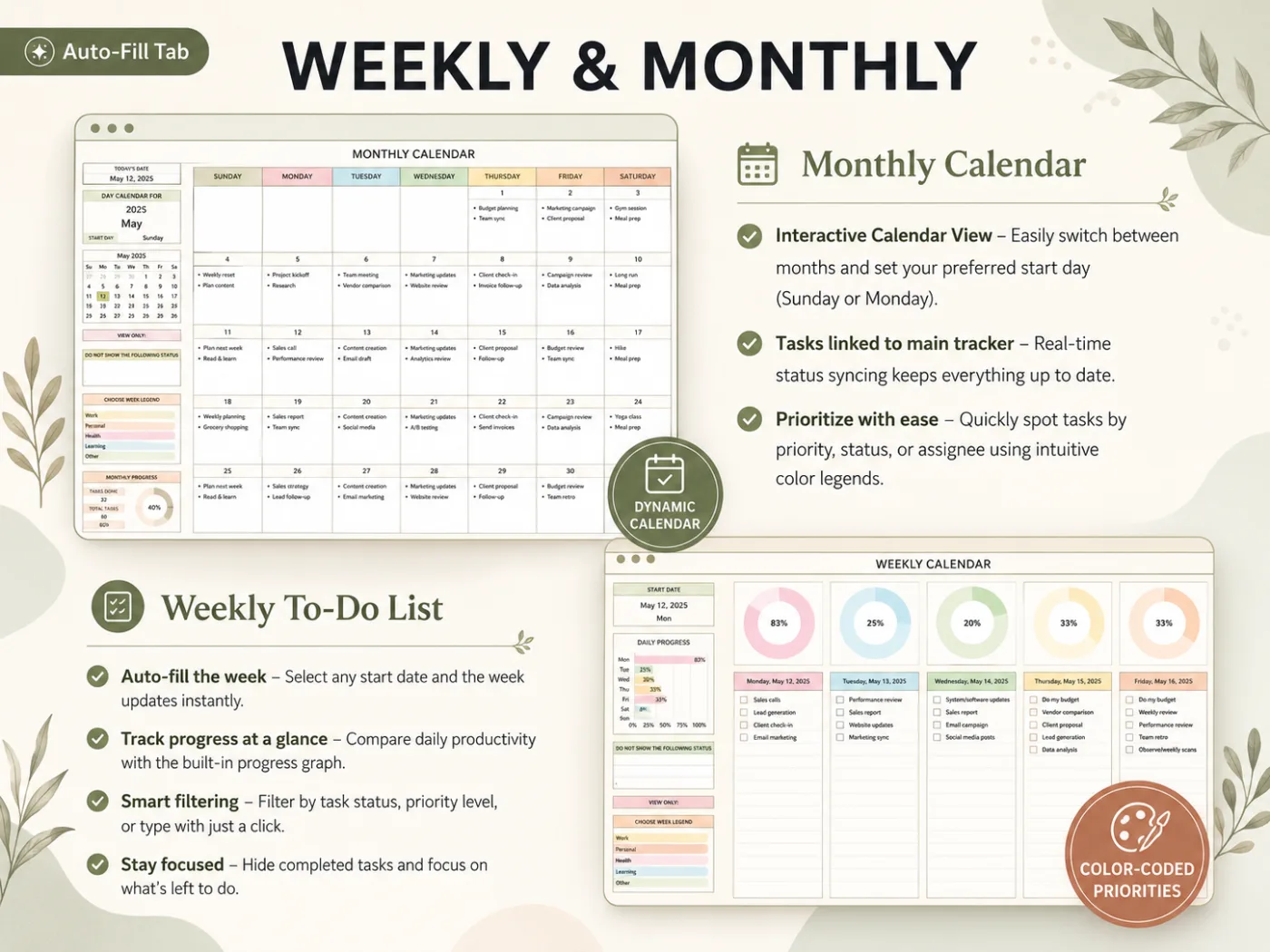
Monthly & Weekly Calendars
See every deadline in the view that fits you. An interactive monthly calendar and an auto-filling weekly to-do list, both linked to your tracker with color-coded priorities and daily progress.
- Interactive Monthly Calendar
- Weekly To-Do List
- Set Start Day (Sun or Mon)
- Daily Progress Graph
- Color-Coded Priorities
- Tasks Linked to Tracker
- Smart Filtering
- Hide Completed Tasks
- Auto-Fill the Week
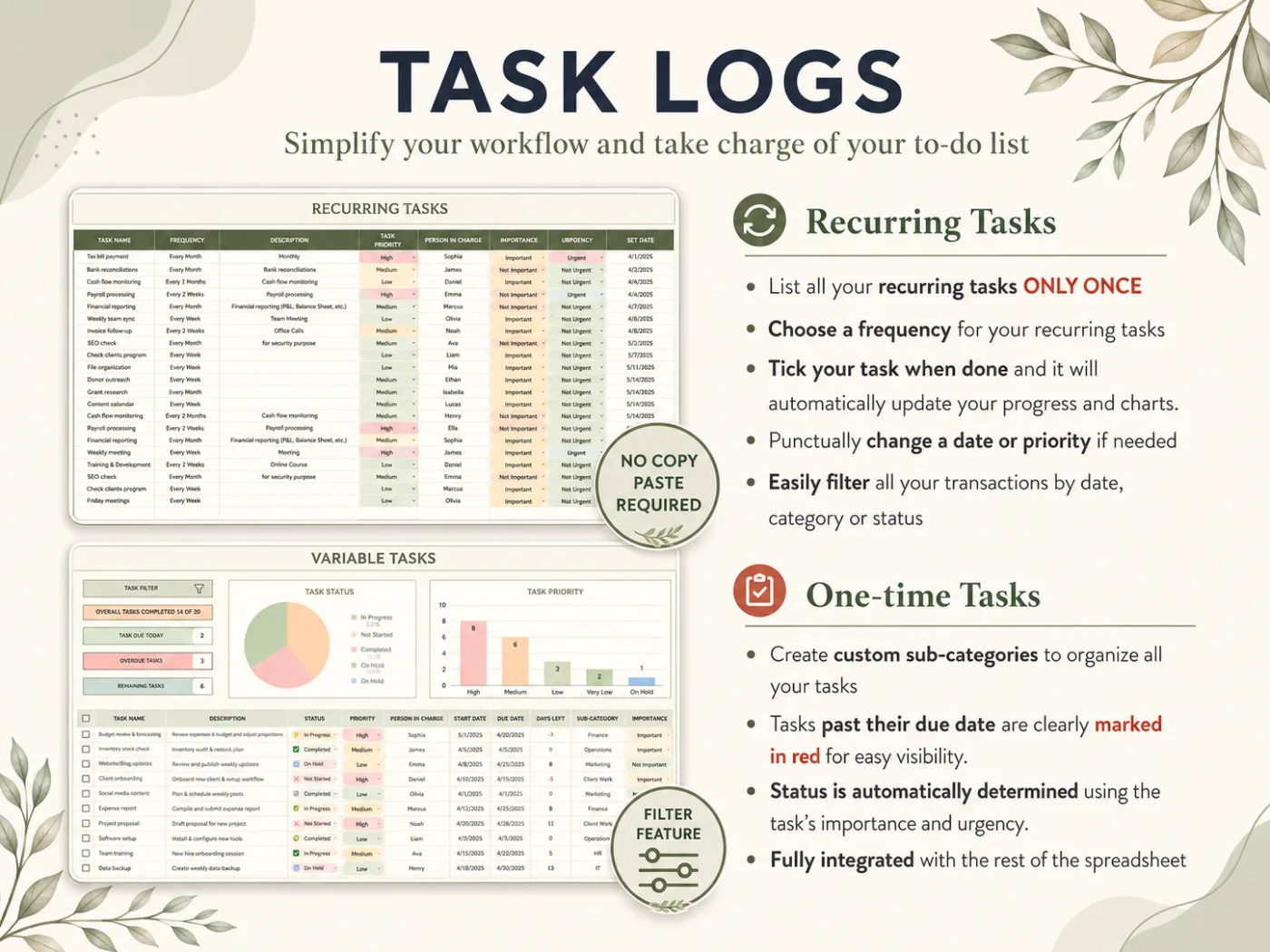
Variable & Recurring Tasks
The engine of your to-do list. Log one-time tasks and set recurring tasks once, and the tracker repeats them for you, marks overdue items in red, and sets status automatically from importance and urgency.
- One-Time (Variable) Tasks
- Recurring Tasks, Set Once
- Custom Sub-Categories
- Auto Status (Importance × Urgency)
- Overdue Tasks Marked in Red
- Filter by Date, Category, Status
- No Copy-Paste Required
- Person in Charge Field
- Fully Integrated with All Tabs
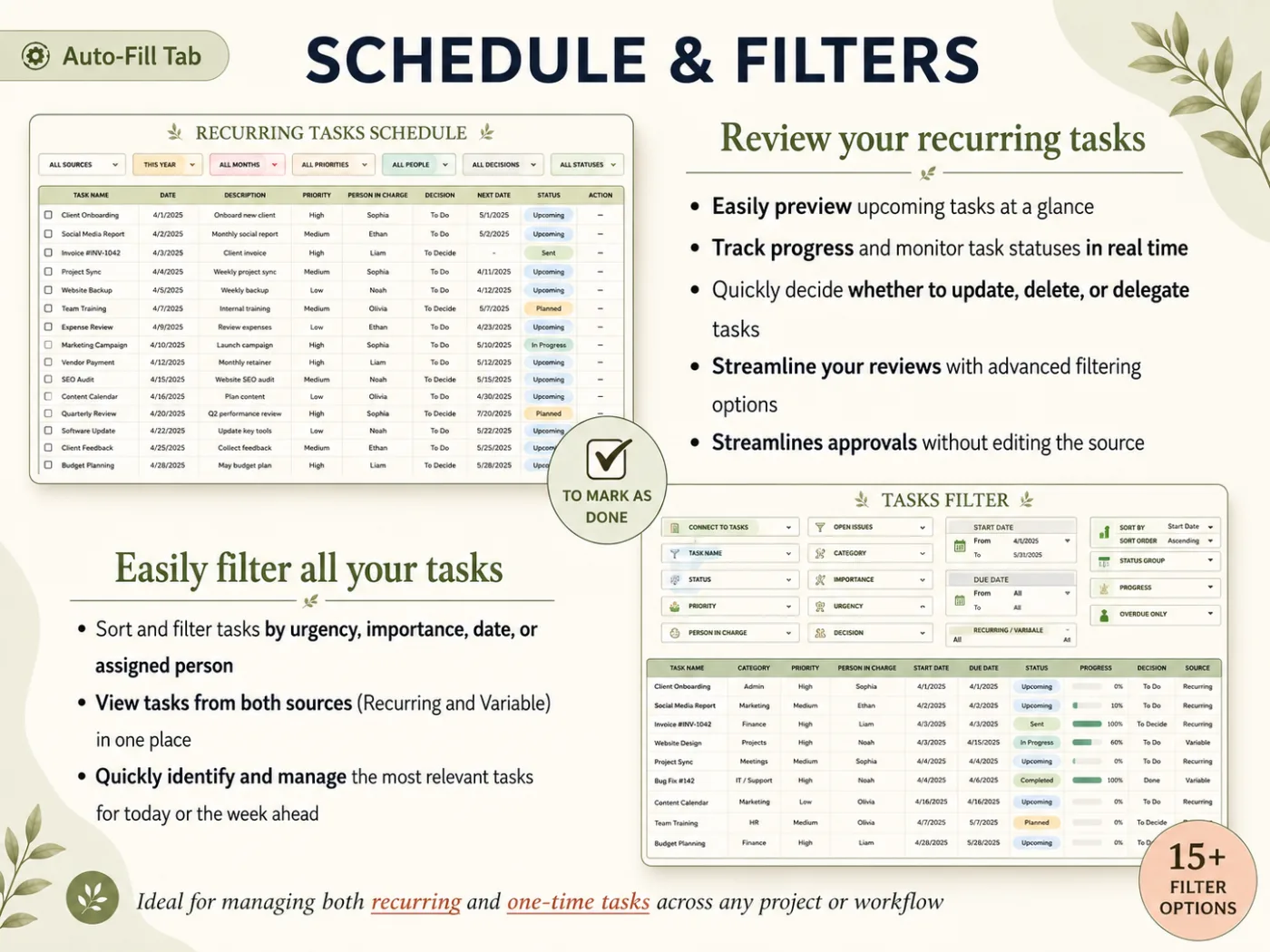
Task Schedule & Filter
Review everything in one place. A recurring-task schedule and a master filter with 15+ options so you can sort by urgency, importance, date, or assignee, then decide whether to update, delete, or delegate.
- Recurring Tasks Schedule
- 15+ Filter Options
- Sort by Urgency & Importance
- Both Sources in One View
- Real-Time Status Preview
- Update, Delete, or Delegate
- Tick to Mark as Done
- Person Assignment
- Advanced Filtering
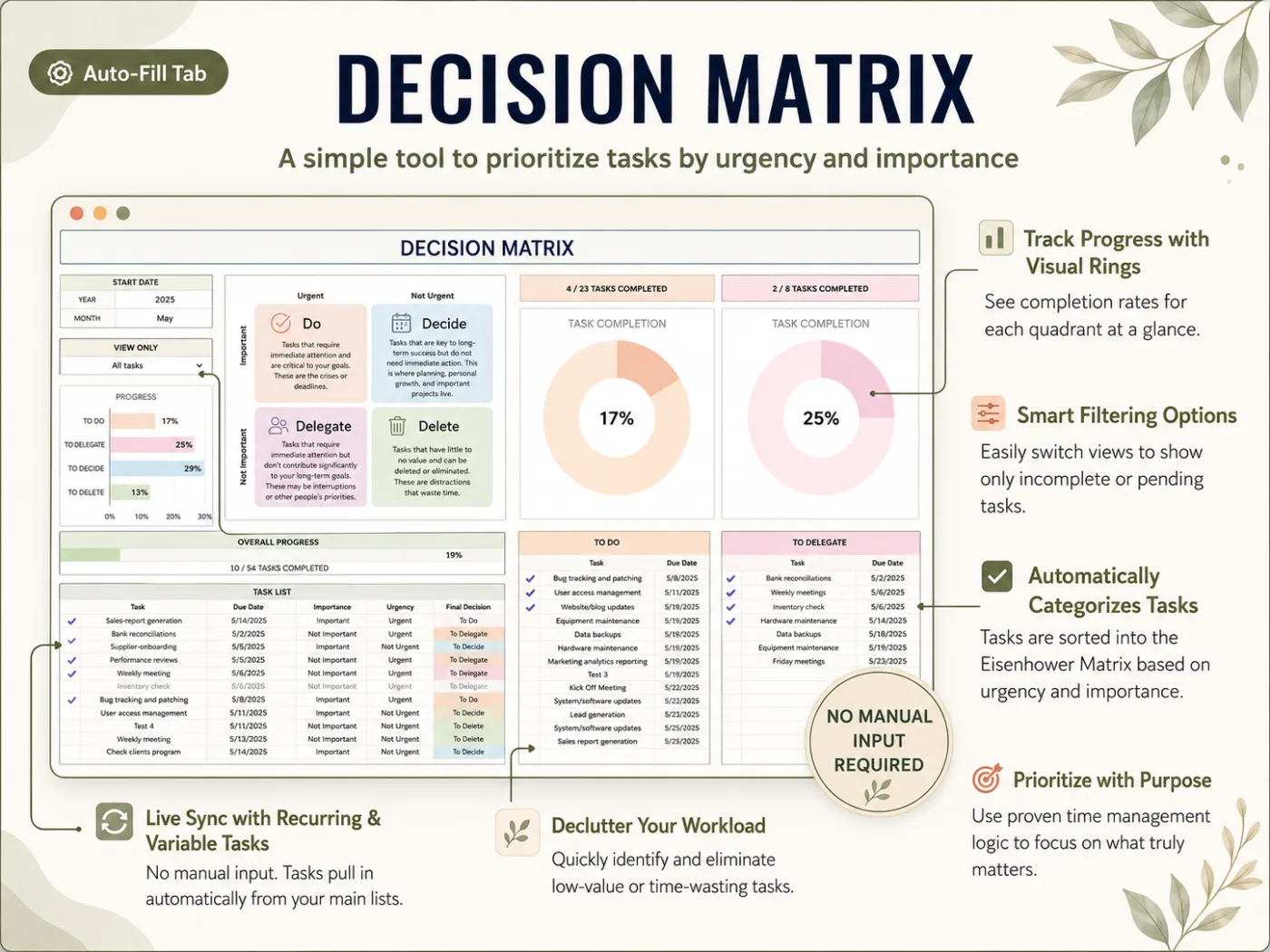
Decision Matrix
Prioritize with a proven system. Tasks pull in automatically and sort into the Eisenhower Matrix (Do, Decide, Delegate, Delete) with visual progress rings so you always know what truly matters.
- Do / Decide / Delegate / Delete
- Visual Progress Rings
- Auto-Categorized Tasks
- Live Sync with Your Tasks
- Completion % per Quadrant
- Smart Filtering Options
- Declutter Your Workload
- Prioritize with Purpose
- No Manual Input Required
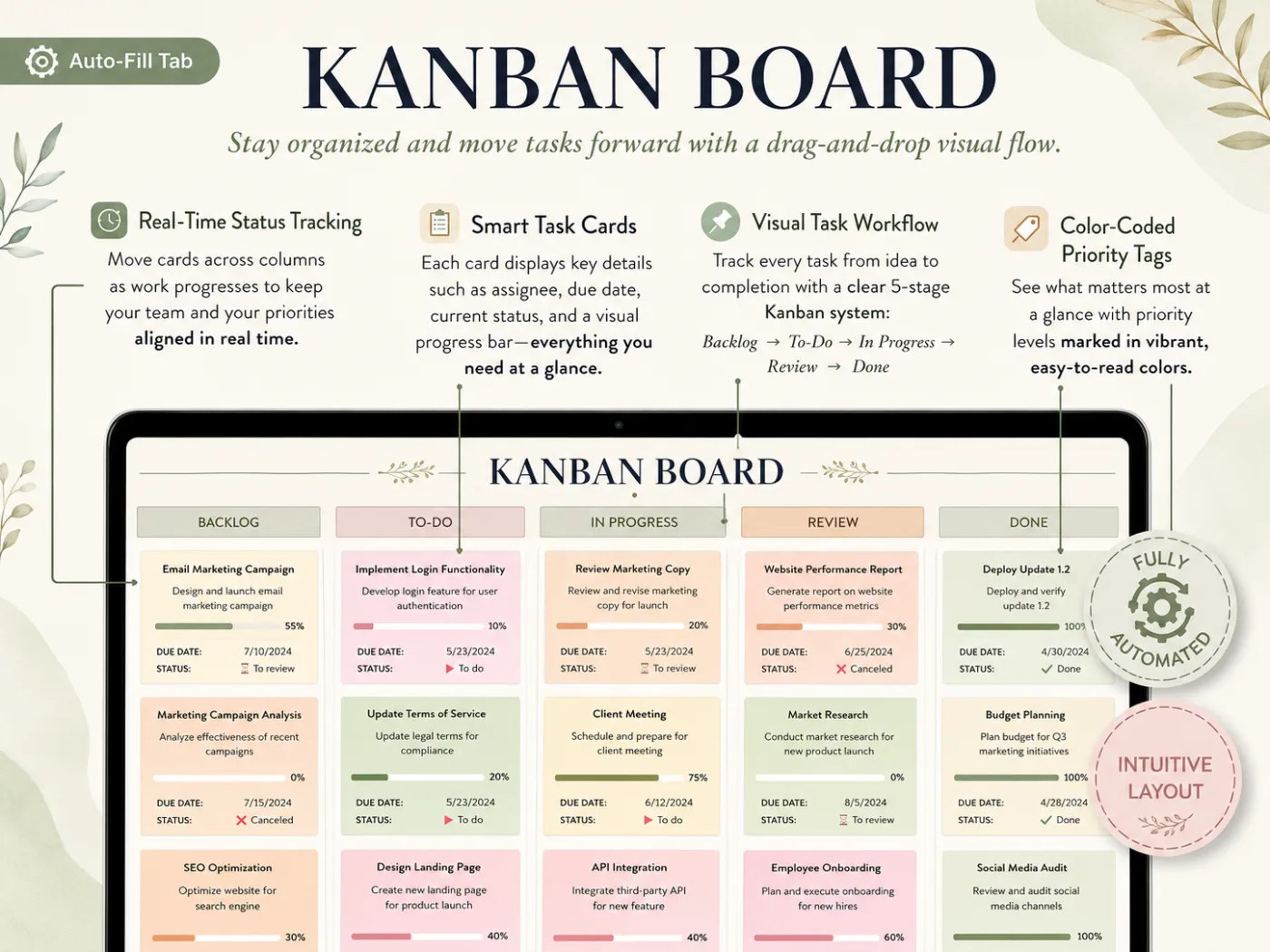
Kanban Board
Move work forward with a drag-and-drop flow. Track every task from idea to done across a clear 5-stage board (Backlog, To-Do, In Progress, Review, Done) with smart cards and color-coded priority tags.
- 5-Stage Visual Workflow
- Smart Task Cards
- Real-Time Status Tracking
- Color-Coded Priority Tags
- Built-In Progress Bars
- Assignee & Due Date
- Backlog to Done Flow
- Auto-Fill Tab Powered
- Intuitive Layout
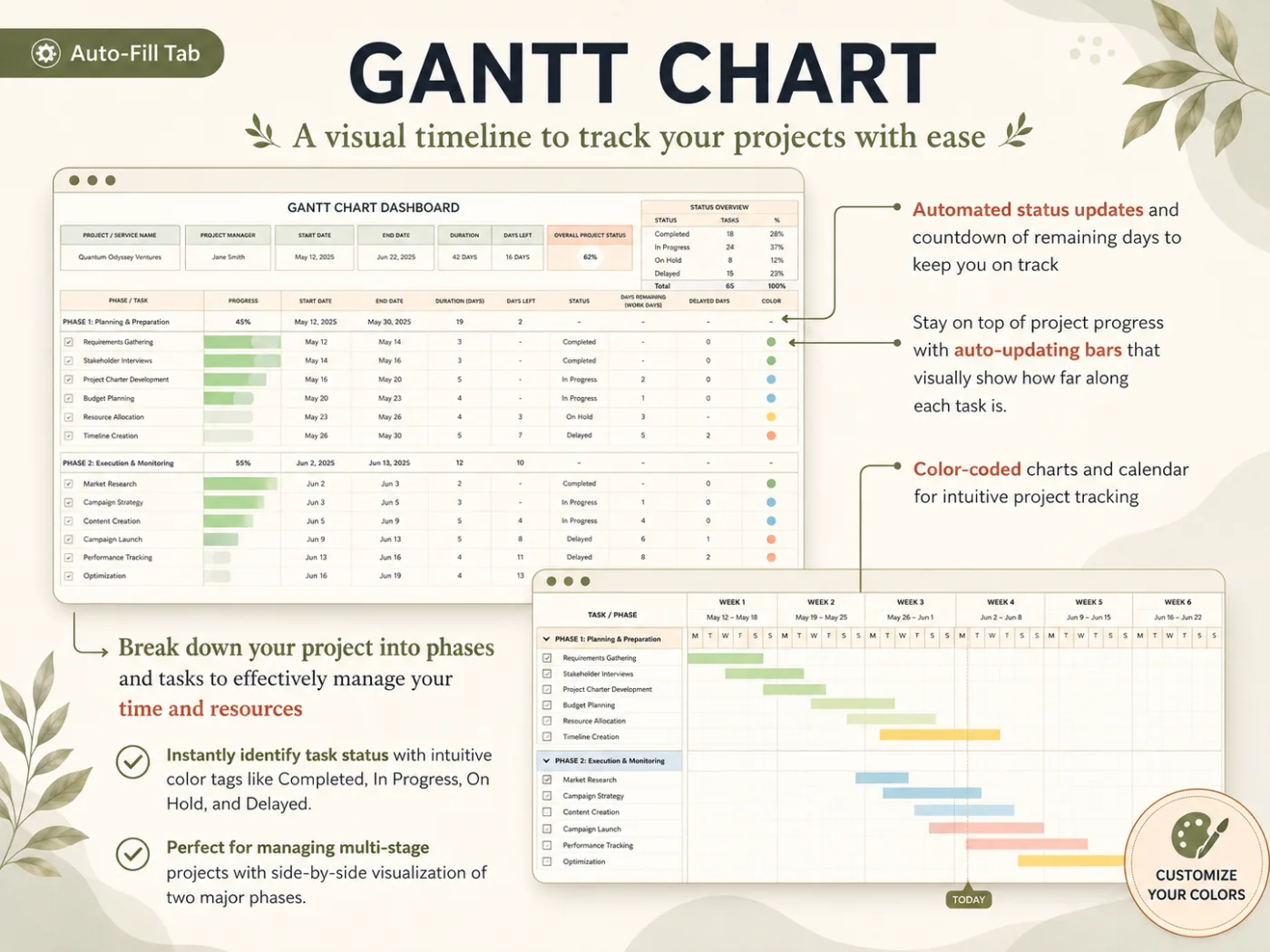
Gantt Chart
A visual timeline for bigger projects. Break work into phases and tasks, then let the chart auto-update its bars, count down remaining days, and color-code status so you always stay on track.
- Visual Project Timeline
- Break Into Phases & Tasks
- Automated Status Updates
- Auto-Updating Progress Bars
- Days-Remaining Countdown
- Color-Coded Status
- Multi-Phase Side-by-Side
- Customize Your Colors
- Auto-Fill Tab Powered
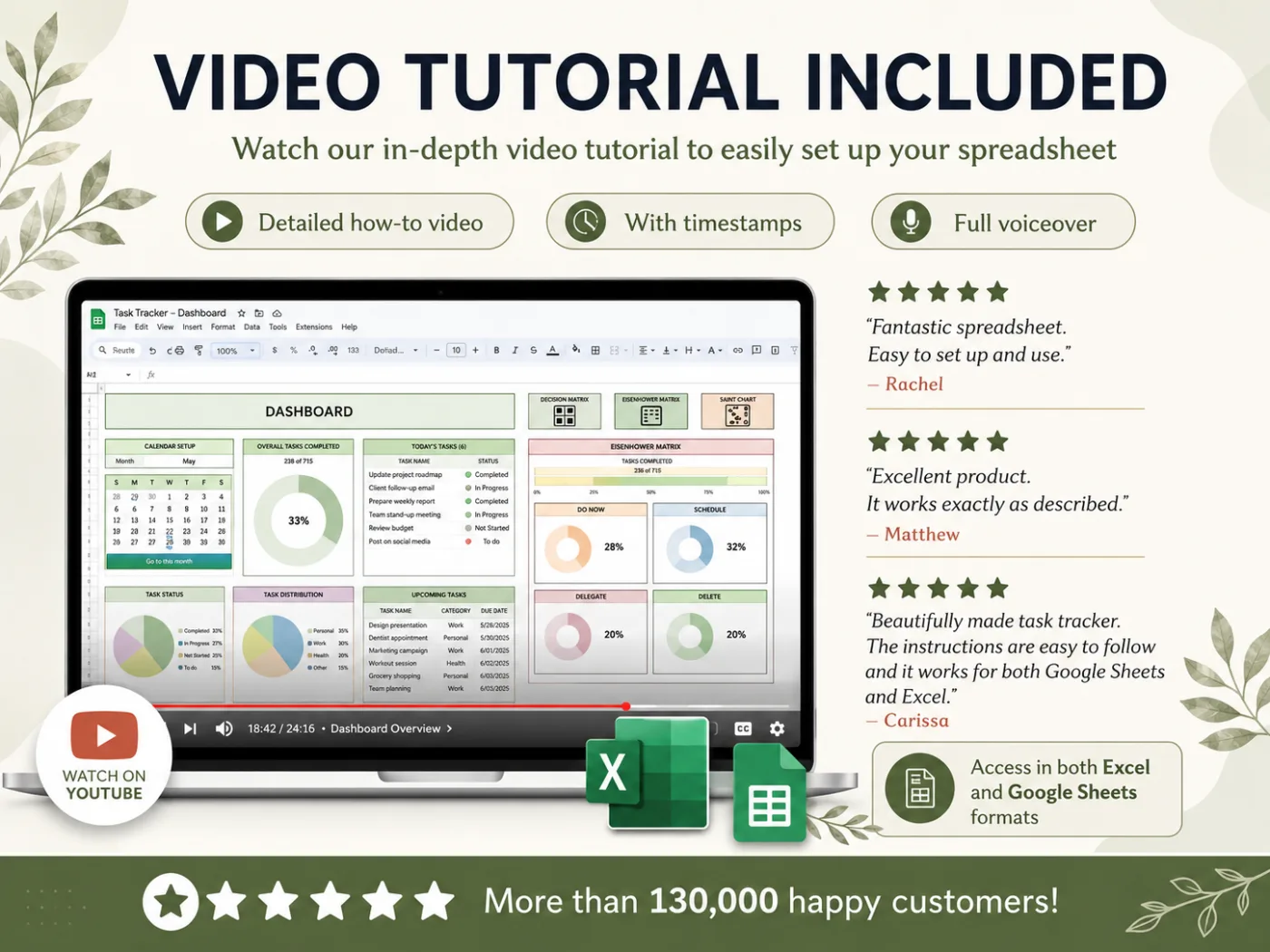
Watch the Tutorial. Set It Up Tonight.
A full step-by-step YouTube walkthrough with timestamps and voiceover. Detailed how-to, with timestamps, full voiceover. Set it up tonight and start using it tomorrow.
What Our Customers Are Saying
More than 130,000 happy customers. Real reviews from real people
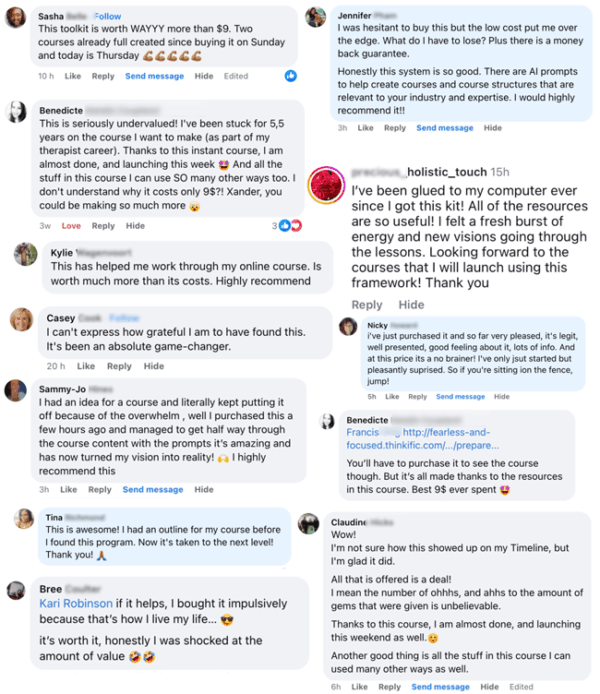
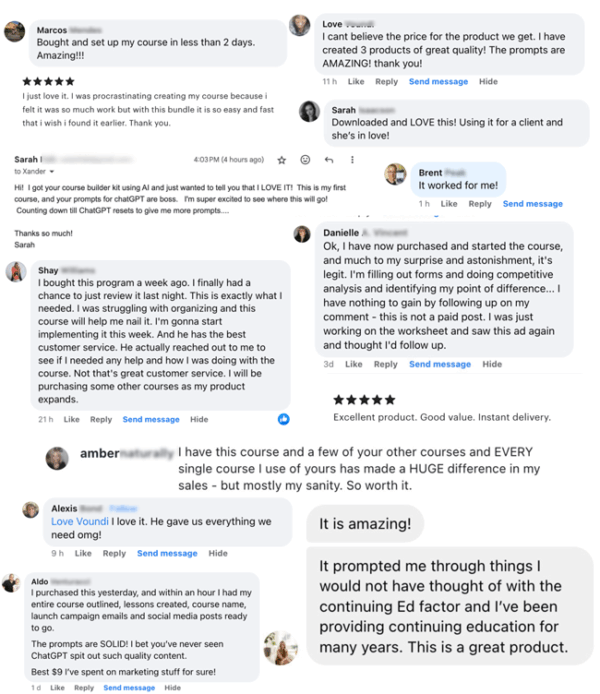
“Fantastic spreadsheet! Easy to set up and use. I finally have every task and deadline in one place instead of five apps.”
Rachel M.
Freelance Designer
“Excellent product. It works exactly as described. The recurring tasks tab alone saved me hours every week.”
Matthew K.
Project Manager
“Beautifully made task tracker. Instructions are easy to follow, and there are options for both Google Sheets and Excel. I can finally keep my team on track with ease.”
Carissa L.
Small Team Lead
Set Your Recurring Tasks Once. Never Retype Them
Log a repeating task once, choose a frequency (weekly, monthly, quarterly, yearly and more) and the tracker handles the rest. Tick it when done and your progress, charts, and calendars update automatically. It's the feature customers love most.
- Set Frequency: Weekly to Yearly
- Tick Once, Auto-Updates Everything
- Priority, Due Date & Person in Charge
- Auto-Repeats Across Calendars
- Change a Date or Priority Anytime
- Filter by Date, Category, or Status
11 Tabs, One Download, Yours Forever
Excel and Google Sheets, both included. Open it on your laptop, phone, or tablet. Type your tasks and the dashboards do the rest.
SET UP TONIGHT
Every tab is built, formatted, and pre-formulated. Type in your tasks, follow the YouTube tutorial, and you're done in under an hour.
ONE PRICE, EVERY PROJECT
Pay once and reuse the file across every project, year after year. Track up to 10,000 tasks. No per-month fees, no subscriptions.
NO SPREADSHEET SKILLS NEEDED
Beginner friendly. Designed for anyone, not spreadsheet experts. If you can type into a cell, you can run your day with this tracker.
How It Works
Get started in minutes with instant digital access
Purchase
Complete your secure checkout
Download
Excel file + Google Sheets link by email
Watch the Tutorial
Step-by-step YouTube walkthrough
Track Your Tasks
Type in your tasks, dashboards do the rest
11 Tabs, 4 Sections. $9, One-Time.
Everything on this page is included in a single download: Dashboards, Calendars, Task Logs, Decision Matrix, Kanban, and Gantt, plus the YouTube tutorial. No subscriptions. No upsells.
One-time payment • Instant access
- All-in-One Dashboard + Monthly & Weekly Calendars
- Variable & Recurring Tasks with Automation
- Task Schedule + Filter with 15+ Options
- Decision Matrix, Kanban Board & Gantt Chart
- Setup Tab + Track Up to 10,000 Tasks
- Step-by-Step PDF + Comprehensive YouTube Tutorial
Instant digital download • Works with Excel & Google Sheets • One-time payment
This is a digital product with immediate access after purchase. No refunds on the Task Tracker or any order bump. The Complete Adulting Survival Kit, offered after checkout, is the one exception with a 90-day money-back guarantee.
Why 130,000+ People Choose the All-in-One Task Tracker
Four connected sections to plan, track, and prioritize your work: Dashboards, Task Tracking, Prioritization, and Automation, side by side.
Frequently Asked Questions
Everything you need to know before you buy
The tracker is fully compatible with Microsoft Excel 365. Older versions of Excel may have limited functionality on the more advanced dashboards. If you don't have Excel, the Google Sheets version works in any browser for free.